
Now Reading: How to Add Temperature Sticker to Instagram Story?
-
01
How to Add Temperature Sticker to Instagram Story?

How to Add Temperature Sticker toInstagram Story
You probably came across some bloggers or even your friends’ stories and see the way they’re using stickers in their stories, and your desire to use it increases too. But how do they use it in a way that their stories become more attractive to watch? How do they know where to use it? If these are your questions too, in the follow-up, we’re not only going to answer them, but also teach you how to add temperature sticker to an Instagram story that shows the mood of your day with the easiest way to turn your boring posts with no engagement into posts people want to watch over and over again. To make your stories more attractive, let’s start with the steps below.Level Up Your Stories & Add a Temperature Sticker with These 3 Steps
We are sure you’ve heard and seen stickers in others’ stories, especially when they place a temperature sticker on their story that emphasizes engagement desire and attracts attention, smoothly entering viewers’ thoughts about the difference in temperature, and also it is the key factor to Instagram story customization. This might be weird, but our brain works in a way that when they see something familiar, even a weather temperature, it starts to remind similar memories that person spent in the same temperature that was mentioned in the story. It shows that Instagram story hacks to increase engagement can be helpful.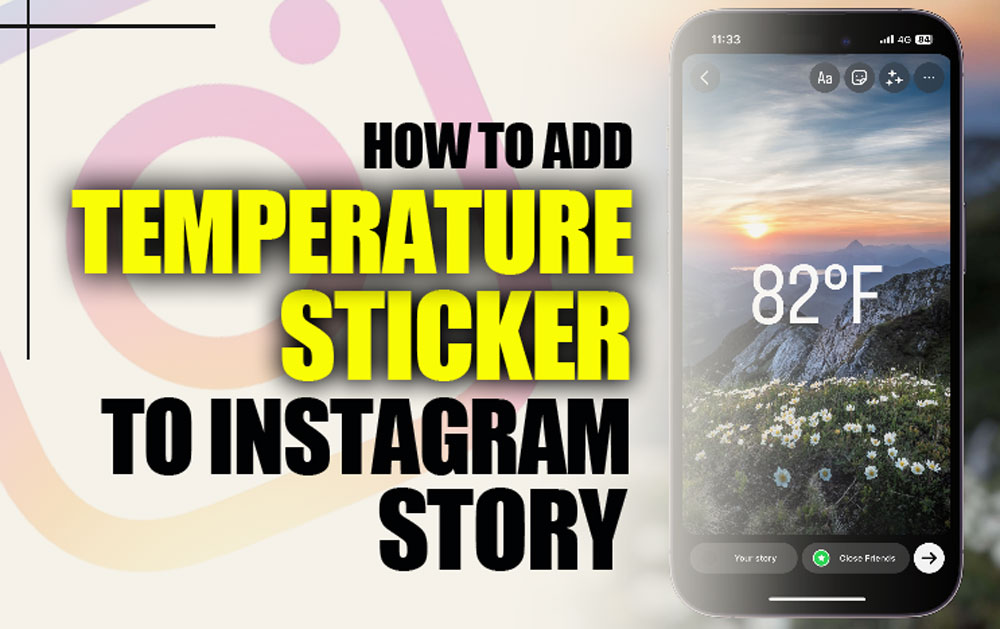 So, by considering this, you know how to add temperature stickers. Let’s review the steps together and be ready to create Instagram story ideas:
1.Open Instagram Camera
Before everything, have your content ready in your gallery or make your content from Instagram’s camera from the home page, swiping right. If your content is in the gallery, swipe up and choose your post to create a new story.2.Find The Temperature Sticker
Now that you have your content, let’s add a sticker to it. We’ll use a temperature sticker as an example. If you want to use weather sticker in your story, your content must be proper for putting this sticker on too. Examples:- Suppose I went to the mountain and took a video of you hiking there. You can attach a temperature icon to your story. It shows the aesthetic of a chill vibe when you walk in there, and a cool day to enjoy the weather outside, and it will seem like a real-time story that more people can relate to and engage with.
- You’re on a trip to the north, the temperature is 15 degrees in your story, and subconsciously, your followers experience the same cool feeling.
3.Write Your Temperature
Besides adding your location’s temperature sticker, you can write it with different fonts inside Instagram itself. When you have your content opened in the story section, tap on “Aa” in the circle beside the other circles at the top of the screen. When you finish writing, add your weather sticker, but in fonts, to your story. And that’s the way you can add temperature sticker and any other one.
Reminders of Adding Your Location’s Temperature
If you couldn’t find the weather sticker in the sticker icon tab, it might be because your location is denied in the app settings of your phone for Instagram. We explained below how to give access to your location to Instagram to bring back the weather sticker:- On IOS: Head over to settings and find “Apps”.
- On Android: Same way as IOS, let Instagram track your location for more features.
- On IOS: In settings, go to Privacy & Security.
- On Android: Find “Location” and from App permissions, go for Instagram

Final Note
It may seem simple and too detailed to you to put temperature markers and other stickers on your content, but surprisingly, it has an impact to revive your post and make your audience feel like they’re also feeling the same air as you were. Always have in mind that creative posts with details used in them will attract more attention than the other ones, which are general. Now that you have learned the basics of “How to Add Temperature Sticker to Instagram Story?”, try out the ways. Was this article useful for you? Comment to us what differences were visible for you after adding your location’s temperature stickers and using more details. Has Instagram removed the weather sticker lately? No, maybe the sticker has vanished from your list because of the issues mentioned. Why can’t I find temperature sticker? If you can’t find it in the list, try searching and read the steps that can be the cause of it above. Can you add temperature to feed posts? Yes, it is possible to add temperature to any post you want to share. Steps are the same. Does Instagram automatically switch your temperature from Fahrenheit to Celsius? It can change because of your location, but you can choose it while using it. Can the sticker temperature automatically change at different times after posting? No, it’ll stay in the degree you posted in your story.2026 Practical Update
If the temperature sticker is missing, the issue is usually location access, app version, or regional availability. Before assuming the feature is gone, check whether Instagram can access your approximate location and whether other location-based stickers appear. Some accounts see sticker changes at different times because Instagram rolls out features gradually.
Before You Try It
- Update Instagram before troubleshooting the sticker tray.
- Allow location permission while using the app.
- Try searching the sticker tray for weather or temperature terms.
- Restart the app after changing permission settings.
- Use text or a weather screenshot only if the native sticker is unavailable.
Quick Answers
Why is the temperature sticker not showing? It may be unavailable for your account, blocked by location settings, or hidden by a temporary app rollout.
Can I add temperature manually? Yes. You can add text manually, but the native sticker is better when available because it looks familiar inside Stories.
For branded or travel content, keep the temperature sticker readable and avoid covering the main subject of the Story. If the temperature is part of the story, place it near the location context. If it is only decorative, make it smaller so it supports the post without distracting from the image or video.
If you are using the sticker for a travel, food, workout, or outdoor event Story, pair it with one extra context clue such as the city, activity, or time of day. Temperature alone is easy to ignore, but temperature plus context tells a clearer mini story and can make the update feel more personal.
Related Instagram Guides
For more context and next steps, these Notisave guides cover closely related Instagram questions and tools.
- How To Add a Song to Your Instagram Posts?
- How to Add Location on Instagram Bio?
- How To Archive All Instagram Posts?
- Instagram Not Working with VPN! (Tips to Get It Working Again)
- Instagram Story Downloader
Also read: How to Download Instagram Profile Photos from Any Account? (2026 Tutorial).